
dots.ocr · Samaritan → Hebrew (checkpoint-350)
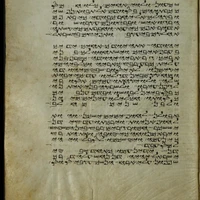
Fine-tuned dots.ocr for Samaritan manuscript OCR, emitting modern Hebrew transcriptions (RTL).
This repository contains a merged full checkpoint (base + LoRA) selected by a full validation sweep (ocr_cer on 494 OCR/grounding samples). Adapter step: 350.
Highlights
| Item | Value |
|---|---|
| Base | rednote-hilab/dots.ocr (~3.04B) |
| Method | LoRA r=32, α=64, RSLoRA; vision + language targets; vision merger trained densely |
| Train recipe | max_pixels=3_500_000, max_seq_length=6144, bf16, grad accum 16 |
| Selected checkpoint | checkpoint-350 (merged) |
| Val OCR CER (micro) | 0.0463 |
| Val OCR exact match | 0.470 |
| Val OCR CER median / p90 | 0.0025 / 0.161 |
| Layout F1 (14 layout pages) | 0.857 |
| JSON valid rate (layout) | 1.0 |
Plain
cerin multi-task dumps is dominated by the small layout subset. Preferocr_cerfor this model.
Intended use
- Page / line OCR of Samaritan manuscript images into Hebrew text
- Optional layout JSON / grounding prompts inherited from dots.ocr
Not a general multilingual OCR replacement for the base model. Outside Samaritan→Hebrew, prefer the upstream checkpoint.
Quick start
import torch
from transformers import AutoModelForCausalLM, AutoProcessor
from qwen_vl_utils import process_vision_info
from PIL import Image

model_id = "samaritan-ai/dots-ocr-samaritan-hebrew"  # update if you rename the repo
model = AutoModelForCausalLM.from_pretrained(
    model_id,
    trust_remote_code=True,
    attn_implementation="sdpa",  # or flash_attention_2
    torch_dtype=torch.bfloat16,
    device_map="auto",
)
processor = AutoProcessor.from_pretrained(model_id, trust_remote_code=True)

# Match the fine-tune pixel budget (also set in preprocessor_config.json here)
ip = processor.image_processor
ip.min_pixels, ip.max_pixels = 3136, 3_500_000
ip.size = {**getattr(ip, "size", {}), "shortest_edge": 3136, "longest_edge": 3_500_000}

image = Image.open("page.jpg").convert("RGB")
prompt = "Extract the text content from this image."
messages = [{
    "role": "user",
    "content": [
        {"type": "image", "image": image},
        {"type": "text", "text": prompt},
    ],
}]
text = processor.apply_chat_template(messages, tokenize=False, add_generation_prompt=True)
image_inputs, video_inputs = process_vision_info(messages)
inputs = processor(
    text=[text], images=image_inputs, videos=video_inputs,
    padding=True, return_tensors="pt",
).to(model.device)

with torch.inference_mode():
    out = model.generate(**inputs, max_new_tokens=2048, do_sample=False)
print(processor.tokenizer.decode(out[0][inputs["input_ids"].shape[-1]:], skip_special_tokens=True))
Prompt modes (same family as dots.ocr)
- OCR:
Extract the text content from this image. - Layout + text (JSON): dots.ocr layout-all prompt
- Grounding OCR: bbox-conditioned extract prompt
Training summary
- Toolkit:
dotsocr-ft(local fine-tune stack for dots.ocr / PAGEXML) - Data: PAGEXML-prepared Samaritan pages; packed train/val with sparse grounding (
--grounding-per-page 2) - Hardware: dual RTX 3090 (24 GB); early stop on generative CER (n=16 probe during train)
- Final selection: full
data/val.packed.jsonlsweep overcheckpoint-{150,200,250,300,350,400}ranked byocr_cer
Comparative full-val OCR CER (494 samples):
| Adapter | ocr_cer | exact | median | p90 |
|---|---|---|---|---|
| checkpoint-300 | 0.0412 | 0.445 | 0.0038 | 0.760 |
| checkpoint-350 | 0.0463 | 0.470 | 0.0025 | 0.161 |
| checkpoint-250 | 0.0500 | 0.421 | 0.0098 | 0.176 |
| checkpoint-200 | 0.0653 | 0.362 | 0.0179 | 0.176 |
| checkpoint-400 | 0.0702 | 0.486 | 0.0013 | 0.096 |
| checkpoint-150 | 0.1675 | 0.221 | 0.0402 | 0.786 |
checkpoint-350 was chosen as the balanced production checkpoint (strong micro CER and healthy tail vs checkpoint-300’s high p90).
Requirements
transformers==4.51.x(dots.ocr remote code target)huggingface-hub>=0.30,<1.0qwen-vl-utils,torchwith bf16 GPU recommendedtrust_remote_code=True(shipsmodeling_*.py/configuration_dots.py)
License & attribution
- Fine-tune / card: use under the same spirit as the base release; respect the upstream dots.ocr LICENSE AGREEMENT (MIT-based with additional acceptable-use terms) included in this repo.
- Base model: rednote-hilab/dots.ocr · GitHub
- Do not use for prohibited digitization / privacy-invasive extraction as defined by the upstream agreement.
Citation
If you use this model, please cite the upstream dots.ocr work and note this Samaritan→Hebrew fine-tune (checkpoint-350).
- Downloads last month
- -
Model tree for samaritan-ai/dots-ocr-samaritan-hebrew
Base model
dots-studio/dots.ocr