



Auralis for Windows 11
Reduce background noise from your microphone and hear the result locally. Select an input and headphones, choose Balanced, and press Start.
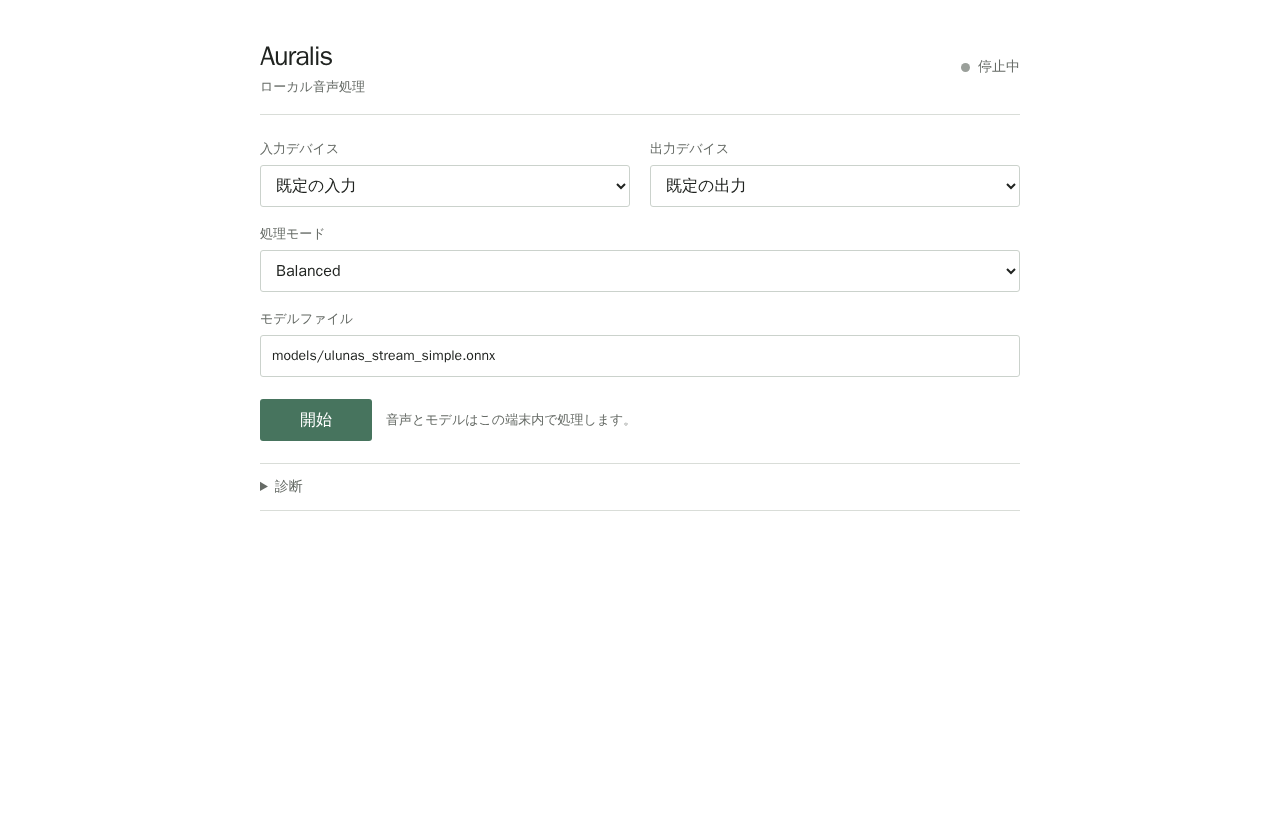
Choose devices and monitor processed audio from the GUI.
Start in three steps
- Download the Windows x64 app and extract it.
- Double-click
start-auralis.cmd. On first launch the pinned model is downloaded and verified. - Select your microphone and headphones, then choose Balanced → Start.
Requires Windows 11 x64 and the Microsoft Visual C++ 2015–2022 x64 Runtime. Internet is only used to fetch the model on first launch; captured audio stays on the PC. Headphones are recommended.
What it does
- Reduces background noise from live microphone audio
- Plays processed audio through the selected output
- Shows CPU, inference, queue, underrun and xrun diagnostics
Not a virtual microphone yet: Discord, Teams and other apps cannot select Auralis as their microphone. AEC and target-speaker isolation are also not implemented.
Model and evaluation
Auralis does not train these weights. This package uses the pinned upstream Xiaobin-Rong/UL-UNAS ONNX model, under the upstream non-exclusive MIT license. Model SHA-256: f2e804d54d6a88f4f82f44d86c9f1cf646db2509bfca935cfbfc5fcd8cbfac3b. No user recordings are included.
Open benchmark results
| Result | Measurement |
|---|---|
| Mean SI-SDR · 630 noisy cases | 7.025 dB |
| Mean STOI change | +0.0057 |
| Clean 8–20 kHz energy change | −13.112 dB |
| Native Windows stability | 30 minutes · zero losses/underruns/xruns/deadline misses |
| Inference p95 | 1.35 ms |
This is engineering evidence, not a listening test. The model output bandwidth ends at 8 kHz; physical microphone-to-speaker latency is unmeasured.
日本語
マイクの背景ノイズを抑え、処理後の声をPC内で聴けます。 入力とヘッドホンを選び、Balanced → Start。
3ステップで起動
- Windows x64版をダウンロードして展開。
start-auralis.cmdをダブルクリック。初回に固定モデルを取得・検証します。- マイクとヘッドホンを選び、Balanced → Start。
Windows 11 x64とMicrosoft Visual C++ 2015–2022 x64 Runtimeが必要です。ネットワーク接続は初回モデル取得時のみ。録音音声はPC外へ送信しません。ヘッドホン推奨です。
できること
- マイク音声の背景ノイズを抑制
- 選択した出力先で処理後の音をモニター
- CPU、推論時間、queue、underrun/xrunを表示
仮想マイクではありません。 DiscordやTeamsの入力マイクにはまだ選べません。AEC、話者分離も未実装です。
モデルと評価
重みはAuralis製ではなく、上流Xiaobin-Rong/UL-UNASの固定ONNXモデルです。上流の非独占MITライセンスで公開し、SHA-256は f2e804d54d6a88f4f82f44d86c9f1cf646db2509bfca935cfbfc5fcd8cbfac3b。ユーザー音声は同梱していません。
測定結果を見る
| 結果 | 測定値 |
|---|---|
| 雑音あり630ケースの平均SI-SDR | 7.025 dB |
| 平均STOI変化 | +0.0057 |
| クリーン音声8–20 kHz成分変化 | −13.112 dB |
| Windows実機 | 30分・欠落/underrun/xrun/期限超過 0件 |
| 推論時間p95 | 1.35 ms |
技術測定であり、聴感テストではありません。モデルの出力帯域は8 kHzまで、物理的な総遅延は未測定です。