

content stringlengths 16 6.99k | source stringclasses 2
values | title stringclasses 224
values | url stringlengths 28 148 | type stringclasses 1
value |
|---|---|---|---|---|
--- title: "Tools in Data Science" original_url: "https://tds.s-anand.net//../base64-encoding?id=base-64-encoding" downloaded_at: "2025-06-18T14:40:58.800959" --- [Base 64 Encoding](/../base64-encoding?id=base-64-encoding) ============================================================ Base64 is a method to convert binary... | course | Tools in Data Science | https://tds.s-anand.net/#/2025-01/ | text |
to clipboardErrorCopied ``` Data URIs allow embedding binary data directly in HTML/CSS. This reduces the number of HTTP requests and also works offline. But it increases the file size. For example, here’s an SVG image embedded as a data URI: ``` <img src="data:image/svg+xml;base64,PHN2ZyB4bWxucz0iaHR0cDovL3d3dy53My5vcm... | course | Tools in Data Science | https://tds.s-anand.net/#/2025-01/ | text |
--- title: "Tools in Data Science" original_url: "https://tds.s-anand.net//../base64-encoding?id=base-64-encoding" downloaded_at: "2025-06-18T14:40:58.800959" --- [Base 64 Encoding](/../base64-encoding?id=base-64-encoding) ============================================================ Base64 is a method to convert binary... | course | Tools in Data Science | https://tds.s-anand.net/#/../forecasting-with-excel | text |
to clipboardErrorCopied ``` Data URIs allow embedding binary data directly in HTML/CSS. This reduces the number of HTTP requests and also works offline. But it increases the file size. For example, here’s an SVG image embedded as a data URI: ``` <img src="data:image/svg+xml;base64,PHN2ZyB4bWxucz0iaHR0cDovL3d3dy53My5vcm... | course | Tools in Data Science | https://tds.s-anand.net/#/../forecasting-with-excel | text |
--- title: "Version Control: Git, GitHub" original_url: "https://tds.s-anand.net//git?id=version-control-git-github" downloaded_at: "2025-06-18T14:35:12.147198" --- [Version Control: Git, GitHub](/git?id=version-control-git-github) ------------------------------------------------------------------- [Git](https://git-sc... | course | Version Control: Git, GitHub | https://tds.s-anand.net/#/git | text |
History git log --oneline View history git diff commit1 commit2 Compare commits git blame file Show who changed whatCopy to clipboardErrorCopied ``` Best Practices: 1. **Commit Messages** ``` Good commit message format type(scope): summary Detailed description of changes. Examples feat(api): add user authentication fix... | course | Version Control: Git, GitHub | https://tds.s-anand.net/#/git | text |
--- title: "Containers: Docker, Podman" original_url: "https://tds.s-anand.net//docker?id=containers-docker-podman" downloaded_at: "2025-06-18T14:35:11.061346" --- [Containers: Docker, Podman](/docker?id=containers-docker-podman) ------------------------------------------------------------------ [Docker](https://www.do... | course | Containers: Docker, Podman | https://tds.s-anand.net/#/docker | text |
app.py Run the script CMD ["python", "app.py"]Copy to clipboardErrorCopied ``` To build, run, and deploy the container, run these commands: ``` Create an account on https://hub.docker.com/ and then login podman login docker.io Build and run the container podman build -t py-hello . podman run -it py-hello Push the conta... | course | Containers: Docker, Podman | https://tds.s-anand.net/#/docker | text |
--- title: "Containers: Docker, Podman" original_url: "https://tds.s-anand.net//docker?id=containers-docker-podman" downloaded_at: "2025-06-18T14:35:11.061346" --- [Containers: Docker, Podman](/docker?id=containers-docker-podman) ------------------------------------------------------------------ [Docker](https://www.do... | course | Containers: Docker, Podman | https://tds.s-anand.net/#/data-visualization-with-chatgpt | text |
app.py Run the script CMD ["python", "app.py"]Copy to clipboardErrorCopied ``` To build, run, and deploy the container, run these commands: ``` Create an account on https://hub.docker.com/ and then login podman login docker.io Build and run the container podman build -t py-hello . podman run -it py-hello Push the conta... | course | Containers: Docker, Podman | https://tds.s-anand.net/#/data-visualization-with-chatgpt | text |
--- title: "AI Code Editors: GitHub Copilot" original_url: "https://tds.s-anand.net//github-copilot?id=ai-editor-github-copilot" downloaded_at: "2025-06-18T14:35:09.919582" --- [AI Editor: GitHub Copilot](/github-copilot?id=ai-editor-github-copilot) ----------------------------------------------------------------------... | course | AI Code Editors: GitHub Copilot | https://tds.s-anand.net/#/github-copilot | text |
--- title: "Data Analysis with SQL" original_url: "https://tds.s-anand.net//data-analysis-with-sql?id=data-analysis-with-sql" downloaded_at: "2025-06-18T14:35:08.809081" --- [Data Analysis with SQL](/data-analysis-with-sql?id=data-analysis-with-sql) ----------------------------------------------------------------------... | course | Data Analysis with SQL | https://tds.s-anand.net/#/data-analysis-with-sql | text |
video: * [Data analysis with databases - Notebook](https://colab.research.google.com/drive/1j_5AsWdf0SwVHVgfbEAcg7vYguKUN41o) * [SQLZoo](https://www.sqlzoo.net/wiki/SQL_Tutorial) has simple interactive tutorials to learn SQL * [Stats database](https://relational-data.org/dataset/Stats) that has an anonymized dump of [s... | course | Data Analysis with SQL | https://tds.s-anand.net/#/data-analysis-with-sql | text |
--- title: "TDS TA Instructions" original_url: "https://tds.s-anand.net//tds-ta-instructions?id=tds-ta-instructions" downloaded_at: "2025-06-18T14:35:07.697128" --- [TDS TA Instructions](/tds-ta-instructions?id=tds-ta-instructions) =================================================================== The TDS TA is a virt... | course | TDS TA Instructions | https://tds.s-anand.net/#/tds-ta-instructions | text |
WITH CITATION LINKS. 4. Think step-by-step. Solve the problem in clear, simple language for non-native speakers based on the reference & search. 5. Follow-up: Ask thoughtful questions to help students explore and learn.Copy to clipboardErrorCopied ``` [Previous Prompt engineering](/prompt-engineering) [Next TDS GPT Rev... | course | TDS TA Instructions | https://tds.s-anand.net/#/tds-ta-instructions | text |
--- title: "CORS" original_url: "https://tds.s-anand.net//cors?id=cors-cross-origin-resource-sharing" downloaded_at: "2025-06-18T14:35:06.553322" --- [CORS: Cross-Origin Resource Sharing](/cors?id=cors-cross-origin-resource-sharing) ----------------------------------------------------------------------------------- COR... | course | CORS | https://tds.s-anand.net/#/cors | text |
Allow a specific domain allow_credentials=True, Allow cookies allow_methods=["GET", "POST", "PUT", "DELETE"], Allow specific methods allow_headers=["*"], Allow all headers )Copy to clipboardErrorCopied ``` Testing CORS with JavaScript: ``` // Simple request const response = await fetch("https://api.example.com/data", {... | course | CORS | https://tds.s-anand.net/#/cors | text |
--- title: "Forecasting with Excel" original_url: "https://tds.s-anand.net//forecasting-with-excel?id=forecasting-with-excel" downloaded_at: "2025-06-18T14:35:05.391790" --- [Forecasting with Excel](/forecasting-with-excel?id=forecasting-with-excel) ----------------------------------------------------------------------... | course | Forecasting with Excel | https://tds.s-anand.net/#/forecasting-with-excel | text |
--- title: "Visualizing Animated Data with Flourish" original_url: "https://tds.s-anand.net//visualizing-animated-data-with-flourish?id=visualizing-animated-data-with-flourish" downloaded_at: "2025-06-18T14:35:04.161031" --- [Visualizing Animated Data with Flourish](/visualizing-animated-data-with-flourish?id=visualizi... | course | Visualizing Animated Data with Flourish | https://tds.s-anand.net/#/visualizing-animated-data-with-flourish | text |
--- title: "Prompt engineering" original_url: "https://tds.s-anand.net//playground?id=attachments" downloaded_at: "2025-06-18T14:35:03.014513" --- 404 - Not found =============== | course | Prompt engineering | https://tds.s-anand.net/#/prompt-engineering | text |
--- title: "Prompt engineering" original_url: "https://tds.s-anand.net//playground?id=attachments" downloaded_at: "2025-06-18T14:35:03.014513" --- 404 - Not found =============== | course | Prompt engineering | https://tds.s-anand.net/#/prompt-engineering?id=video-tutorials | text |
--- title: "REST APIs" original_url: "https://tds.s-anand.net//rest-apis?id=rest-apis" downloaded_at: "2025-06-18T14:34:47.269783" --- [REST APIs](/rest-apis?id=rest-apis) ------------------------------------- REST (Representational State Transfer) APIs are the standard way to build web services that allow different sy... | course | REST APIs | https://tds.s-anand.net/#/rest-apis | text |
endpoint that returns a specific item by ID @app.get("/items/{item_id}") async def get_item(item_id: int) -> Dict[str, float | int | str]: if item := next((i for i in items if i["id"] == item_id), None): return item raise HTTPException(status_code=404, detail="Item not found") Create a POST endpoint that creates a new ... | course | REST APIs | https://tds.s-anand.net/#/rest-apis | text |
* [HTTPie](https://httpie.io/): Modern command-line HTTP client * [JSON Schema](https://json-schema.org/): API request/response validation Learn more about REST APIs: * [REST API Design Best Practices](https://stackoverflow.blog/2020/03/02/best-practices-for-rest-api-design/) * [Microsoft REST API Guidelines](https://g... | course | REST APIs | https://tds.s-anand.net/#/rest-apis | text |
--- title: "Data Analysis with Python" original_url: "https://tds.s-anand.net//data-analysis-with-python?id=data-analysis-with-python" downloaded_at: "2025-06-18T14:34:46.081973" --- [Data Analysis with Python](/data-analysis-with-python?id=data-analysis-with-python) ----------------------------------------------------... | course | Data Analysis with Python | https://tds.s-anand.net/#/data-analysis-with-python | text |
--- title: "Static hosting: GitHub Pages" original_url: "https://tds.s-anand.net//github-pages?id=static-hosting-github-pages" downloaded_at: "2025-06-18T14:34:44.890881" --- [Static hosting: GitHub Pages](/github-pages?id=static-hosting-github-pages) --------------------------------------------------------------------... | course | Static hosting: GitHub Pages | https://tds.s-anand.net/#/github-pages | text |
--- title: "LLM Speech" original_url: "https://tds.s-anand.net//llm-speech?id=generation-options" downloaded_at: "2025-06-18T14:34:43.671230" --- [OpenAI TTS-1 for Text-to-Speech Generation](/llm-speech?id=openai-tts-1-for-text-to-speech-generation) ----------------------------------------------------------------------... | course | LLM Speech | https://tds.s-anand.net/#/llm-speech | text |
* `tts-1`: $0.015 * `tts-1-hd`: $0.030 To optimize costs: * Use `tts-1` for drafts, `tts-1-hd` for final versions * Batch process text in chunks * Cache frequently used phrases * Choose lower quality formats for testing [Google Gemini Speech Studio for Text-to-Speech](/llm-speech?id=google-gemini-speech-studio-for-text... | course | LLM Speech | https://tds.s-anand.net/#/llm-speech | text |
model name + `ssmlGender`: “NEUTRAL”, “MALE”, or “FEMALE” * `audioConfig`: + `audioEncoding`: “MP3”, “WAV”, “OGG\_OPUS” + `speakingRate`: 0.25 to 4.0 + `pitch`: -20.0 to 20.0 + `volumeGainDb`: Volume adjustment ``` curl -X POST "https://texttospeech.googleapis.com/v1/text:synthesize?key=$GOOGLE_API_KEY" \ -H "Content-T... | course | LLM Speech | https://tds.s-anand.net/#/llm-speech | text |
``` import requests import base64 import os openai_key = os.getenv("OPENAI_API_KEY") google_key = os.getenv("GOOGLE_API_KEY") def generate_openai_speech(text, voice="alloy", model="tts-1"): response = requests.post( "https://api.openai.com/v1/audio/speech", headers={"Authorization": f"Bearer {openai_key}"}, json={"mode... | course | LLM Speech | https://tds.s-anand.net/#/llm-speech | text |
--- title: "LLM Speech" original_url: "https://tds.s-anand.net//llm-speech?id=generation-options" downloaded_at: "2025-06-18T14:34:43.671230" --- [OpenAI TTS-1 for Text-to-Speech Generation](/llm-speech?id=openai-tts-1-for-text-to-speech-generation) ----------------------------------------------------------------------... | course | LLM Speech | https://tds.s-anand.net/#/llm-speech?id=google-gemini-speech-studio-for-text-to-speech | text |
* `tts-1`: $0.015 * `tts-1-hd`: $0.030 To optimize costs: * Use `tts-1` for drafts, `tts-1-hd` for final versions * Batch process text in chunks * Cache frequently used phrases * Choose lower quality formats for testing [Google Gemini Speech Studio for Text-to-Speech](/llm-speech?id=google-gemini-speech-studio-for-text... | course | LLM Speech | https://tds.s-anand.net/#/llm-speech?id=google-gemini-speech-studio-for-text-to-speech | text |
model name + `ssmlGender`: “NEUTRAL”, “MALE”, or “FEMALE” * `audioConfig`: + `audioEncoding`: “MP3”, “WAV”, “OGG\_OPUS” + `speakingRate`: 0.25 to 4.0 + `pitch`: -20.0 to 20.0 + `volumeGainDb`: Volume adjustment ``` curl -X POST "https://texttospeech.googleapis.com/v1/text:synthesize?key=$GOOGLE_API_KEY" \ -H "Content-T... | course | LLM Speech | https://tds.s-anand.net/#/llm-speech?id=google-gemini-speech-studio-for-text-to-speech | text |
``` import requests import base64 import os openai_key = os.getenv("OPENAI_API_KEY") google_key = os.getenv("GOOGLE_API_KEY") def generate_openai_speech(text, voice="alloy", model="tts-1"): response = requests.post( "https://api.openai.com/v1/audio/speech", headers={"Authorization": f"Bearer {openai_key}"}, json={"mode... | course | LLM Speech | https://tds.s-anand.net/#/llm-speech?id=google-gemini-speech-studio-for-text-to-speech | text |
--- title: "LLM Speech" original_url: "https://tds.s-anand.net//llm-speech?id=generation-options" downloaded_at: "2025-06-18T14:34:43.671230" --- [OpenAI TTS-1 for Text-to-Speech Generation](/llm-speech?id=openai-tts-1-for-text-to-speech-generation) ----------------------------------------------------------------------... | course | LLM Speech | https://tds.s-anand.net/#/llm-speech?id=ssml-support | text |
* `tts-1`: $0.015 * `tts-1-hd`: $0.030 To optimize costs: * Use `tts-1` for drafts, `tts-1-hd` for final versions * Batch process text in chunks * Cache frequently used phrases * Choose lower quality formats for testing [Google Gemini Speech Studio for Text-to-Speech](/llm-speech?id=google-gemini-speech-studio-for-text... | course | LLM Speech | https://tds.s-anand.net/#/llm-speech?id=ssml-support | text |
model name + `ssmlGender`: “NEUTRAL”, “MALE”, or “FEMALE” * `audioConfig`: + `audioEncoding`: “MP3”, “WAV”, “OGG\_OPUS” + `speakingRate`: 0.25 to 4.0 + `pitch`: -20.0 to 20.0 + `volumeGainDb`: Volume adjustment ``` curl -X POST "https://texttospeech.googleapis.com/v1/text:synthesize?key=$GOOGLE_API_KEY" \ -H "Content-T... | course | LLM Speech | https://tds.s-anand.net/#/llm-speech?id=ssml-support | text |
``` import requests import base64 import os openai_key = os.getenv("OPENAI_API_KEY") google_key = os.getenv("GOOGLE_API_KEY") def generate_openai_speech(text, voice="alloy", model="tts-1"): response = requests.post( "https://api.openai.com/v1/audio/speech", headers={"Authorization": f"Bearer {openai_key}"}, json={"mode... | course | LLM Speech | https://tds.s-anand.net/#/llm-speech?id=ssml-support | text |
--- title: "Markdown" original_url: "https://tds.s-anand.net//markdown?id=documentation-markdown" downloaded_at: "2025-06-18T14:34:33.688665" --- [Documentation: Markdown](/markdown?id=documentation-markdown) --------------------------------------------------------------- Markdown is a lightweight markup language for c... | course | Markdown | https://tds.s-anand.net/#/markdown | text |
--- title: "Function Calling" original_url: "https://tds.s-anand.net//function-calling?id=how-to-define-multiple-functions" downloaded_at: "2025-06-18T14:34:32.462038" --- [Function Calling with OpenAI](/function-calling?id=function-calling-with-openai) ------------------------------------------------------------------... | course | Function Calling | https://tds.s-anand.net/#/function-calling | text |
for tool_call in response["tool_calls"]])Copy to clipboardErrorCopied ``` [How to define functions](/function-calling?id=how-to-define-functions) The function definition is a [JSON schema](https://json-schema.org/) with a few OpenAI specific properties. See the [Supported schemas](https://platform.openai.com/docs/guide... | course | Function Calling | https://tds.s-anand.net/#/function-calling | text |
"name": "calculate_performance_bonus", "description": "Calculate yearly performance bonus for an employee", "parameters": { "type": "object", "properties": { "employee_id": { "type": "integer", "description": "Employee ID number" }, "current_year": { "type": "integer", "description": "Year to calculate bonus for" } }, ... | course | Function Calling | https://tds.s-anand.net/#/function-calling | text |
--- title: "Function Calling" original_url: "https://tds.s-anand.net//function-calling?id=how-to-define-multiple-functions" downloaded_at: "2025-06-18T14:34:32.462038" --- [Function Calling with OpenAI](/function-calling?id=function-calling-with-openai) ------------------------------------------------------------------... | course | Function Calling | https://tds.s-anand.net/#/function-calling?id=function-calling-with-openai | text |
for tool_call in response["tool_calls"]])Copy to clipboardErrorCopied ``` [How to define functions](/function-calling?id=how-to-define-functions) The function definition is a [JSON schema](https://json-schema.org/) with a few OpenAI specific properties. See the [Supported schemas](https://platform.openai.com/docs/guide... | course | Function Calling | https://tds.s-anand.net/#/function-calling?id=function-calling-with-openai | text |
"name": "calculate_performance_bonus", "description": "Calculate yearly performance bonus for an employee", "parameters": { "type": "object", "properties": { "employee_id": { "type": "integer", "description": "Employee ID number" }, "current_year": { "type": "integer", "description": "Year to calculate bonus for" } }, ... | course | Function Calling | https://tds.s-anand.net/#/function-calling?id=function-calling-with-openai | text |
--- title: "Function Calling" original_url: "https://tds.s-anand.net//function-calling?id=how-to-define-multiple-functions" downloaded_at: "2025-06-18T14:34:32.462038" --- [Function Calling with OpenAI](/function-calling?id=function-calling-with-openai) ------------------------------------------------------------------... | course | Function Calling | https://tds.s-anand.net/#/function-calling?id=how-to-define-functions | text |
for tool_call in response["tool_calls"]])Copy to clipboardErrorCopied ``` [How to define functions](/function-calling?id=how-to-define-functions) The function definition is a [JSON schema](https://json-schema.org/) with a few OpenAI specific properties. See the [Supported schemas](https://platform.openai.com/docs/guide... | course | Function Calling | https://tds.s-anand.net/#/function-calling?id=how-to-define-functions | text |
"name": "calculate_performance_bonus", "description": "Calculate yearly performance bonus for an employee", "parameters": { "type": "object", "properties": { "employee_id": { "type": "integer", "description": "Employee ID number" }, "current_year": { "type": "integer", "description": "Year to calculate bonus for" } }, ... | course | Function Calling | https://tds.s-anand.net/#/function-calling?id=how-to-define-functions | text |
--- title: "Web Automation with Playwright" original_url: "https://tds.s-anand.net//web-automation-with-playwright?id=example-scraping-a-jsrendered-site" downloaded_at: "2025-06-18T14:34:31.184805" --- [Web Scraping with Playwright in Python](/web-automation-with-playwright?id=web-scraping-with-playwright-in-python) --... | course | Web Automation with Playwright | https://tds.s-anand.net/#/web-automation-with-playwright | text |
printed—fetched only after the JS executes. [Previous LLM Video Screen-Scraping](/llm-video-screen-scraping) [Next Scheduled Scraping with GitHub Actions](/scheduled-scraping-with-github-actions) | course | Web Automation with Playwright | https://tds.s-anand.net/#/web-automation-with-playwright | text |
--- title: "Web Automation with Playwright" original_url: "https://tds.s-anand.net//web-automation-with-playwright?id=example-scraping-a-jsrendered-site" downloaded_at: "2025-06-18T14:34:31.184805" --- [Web Scraping with Playwright in Python](/web-automation-with-playwright?id=web-scraping-with-playwright-in-python) --... | course | Web Automation with Playwright | https://tds.s-anand.net/#/web-automation-with-playwright?id=web-scraping-with-playwright-in-python | text |
printed—fetched only after the JS executes. [Previous LLM Video Screen-Scraping](/llm-video-screen-scraping) [Next Scheduled Scraping with GitHub Actions](/scheduled-scraping-with-github-actions) | course | Web Automation with Playwright | https://tds.s-anand.net/#/web-automation-with-playwright?id=web-scraping-with-playwright-in-python | text |
--- title: "CSS Selectors" original_url: "https://tds.s-anand.net//css-selectors?id=css-selectors" downloaded_at: "2025-06-18T14:24:03.321900" --- [CSS Selectors](/css-selectors?id=css-selectors) ------------------------------------------------- CSS selectors are patterns used to select and style HTML elements on a web... | course | CSS Selectors | https://tds.s-anand.net/#/css-selectors | text |
--- title: "CSS Selectors" original_url: "https://tds.s-anand.net//css-selectors?id=css-selectors" downloaded_at: "2025-06-18T14:24:03.321900" --- [CSS Selectors](/css-selectors?id=css-selectors) ------------------------------------------------- CSS selectors are patterns used to select and style HTML elements on a web... | course | CSS Selectors | https://tds.s-anand.net/#/css-selectors?id=css-selectors | text |
--- title: "Local LLMs: Ollama" original_url: "https://tds.s-anand.net//ollama?id=local-llm-runner-ollama" downloaded_at: "2025-06-18T14:34:29.960739" --- [Local LLM Runner: Ollama](/ollama?id=local-llm-runner-ollama) --------------------------------------------------------------- [`ollama`](https://github.com/ollama/o... | course | Local LLMs: Ollama | https://tds.s-anand.net/#/ollama | text |
model versions for reproducible demos and experiments. * **Resource control**: `--threads` / `--context` — Tune CPU/GPU usage and maximum context window for performance and memory management. [Real-World Use Cases](/ollama?id=real-world-use-cases) * **Quick prototyping**. Brainstorm slide decks or blog outlines offline... | course | Local LLMs: Ollama | https://tds.s-anand.net/#/ollama | text |
--- title: "Local LLMs: Ollama" original_url: "https://tds.s-anand.net//ollama?id=local-llm-runner-ollama" downloaded_at: "2025-06-18T14:34:29.960739" --- [Local LLM Runner: Ollama](/ollama?id=local-llm-runner-ollama) --------------------------------------------------------------- [`ollama`](https://github.com/ollama/o... | course | Local LLMs: Ollama | https://tds.s-anand.net/#/ollama?id=real-world-use-cases | text |
model versions for reproducible demos and experiments. * **Resource control**: `--threads` / `--context` — Tune CPU/GPU usage and maximum context window for performance and memory management. [Real-World Use Cases](/ollama?id=real-world-use-cases) * **Quick prototyping**. Brainstorm slide decks or blog outlines offline... | course | Local LLMs: Ollama | https://tds.s-anand.net/#/ollama?id=real-world-use-cases | text |
--- title: "Local LLMs: Ollama" original_url: "https://tds.s-anand.net//ollama?id=local-llm-runner-ollama" downloaded_at: "2025-06-18T14:34:29.960739" --- [Local LLM Runner: Ollama](/ollama?id=local-llm-runner-ollama) --------------------------------------------------------------- [`ollama`](https://github.com/ollama/o... | course | Local LLMs: Ollama | https://tds.s-anand.net/#/ollama?id=basic-usage | text |
model versions for reproducible demos and experiments. * **Resource control**: `--threads` / `--context` — Tune CPU/GPU usage and maximum context window for performance and memory management. [Real-World Use Cases](/ollama?id=real-world-use-cases) * **Quick prototyping**. Brainstorm slide decks or blog outlines offline... | course | Local LLMs: Ollama | https://tds.s-anand.net/#/ollama?id=basic-usage | text |
--- title: "Local LLMs: Ollama" original_url: "https://tds.s-anand.net//ollama?id=local-llm-runner-ollama" downloaded_at: "2025-06-18T14:34:29.960739" --- [Local LLM Runner: Ollama](/ollama?id=local-llm-runner-ollama) --------------------------------------------------------------- [`ollama`](https://github.com/ollama/o... | course | Local LLMs: Ollama | https://tds.s-anand.net/#/ollama?id=key-features | text |
model versions for reproducible demos and experiments. * **Resource control**: `--threads` / `--context` — Tune CPU/GPU usage and maximum context window for performance and memory management. [Real-World Use Cases](/ollama?id=real-world-use-cases) * **Quick prototyping**. Brainstorm slide decks or blog outlines offline... | course | Local LLMs: Ollama | https://tds.s-anand.net/#/ollama?id=key-features | text |
--- title: "Scraping: Live Sessions" original_url: "https://tds.s-anand.net//scraping-live-sessions?id=scraping-live-sessions" downloaded_at: "2025-06-18T14:34:28.681382" --- [Scraping: Live Sessions](/scraping-live-sessions?id=scraping-live-sessions) --------------------------------------------------------------------... | course | Scraping: Live Sessions | https://tds.s-anand.net/#/scraping-live-sessions | text |
--- title: "Parsing JSON" original_url: "https://tds.s-anand.net//parsing-json?id=jmespath-queries" downloaded_at: "2025-06-18T14:34:27.341023" --- [Parsing JSON](/parsing-json?id=parsing-json) ---------------------------------------------- JSON is everywhere—APIs, logs, configuration files—and its nested or large stru... | course | Parsing JSON | https://tds.s-anand.net/#/parsing-json | text |
loading to memory | **Examples:** * Use Pandas when you need to transform API responses into a DataFrame for further analysis. * Leverage ijson when dealing with huge JSON logs where memory is at a premium. * Apply jq for quick, iterative exploration directly in your terminal. Practice with these resources: * [JSONPath... | course | Parsing JSON | https://tds.s-anand.net/#/parsing-json | text |
alternative when you want to quickly pull out specific values or filter collections based on conditions. **Example:** Extracting user emails or filtering out inactive records from a complex JSON payload received from a cloud service. ``` import jmespath Example queries data = { "locations": [ {"name": "Seattle", "state... | course | Parsing JSON | https://tds.s-anand.net/#/parsing-json | text |
resultsCopy to clipboardErrorCopied ``` [Pandas JSON Columns](/parsing-json?id=pandas-json-columns) [Pandas](https://pandas.pydata.org/) makes it easy to work with tabular data that includes JSON strings. When you receive API data where one column holds nested JSON, flattening these structures lets you analyze and visu... | course | Parsing JSON | https://tds.s-anand.net/#/parsing-json | text |
'$.details.age') as age FROM users WHERE json_extract(data, '$.active') = trueCopy to clipboardErrorCopied ``` [DuckDB JSON Processing](/parsing-json?id=duckdb-json-processing) [DuckDB](https://duckdb.org/) shines when analyzing JSON/JSONL files directly, making it a powerful tool for data analytics without the overhea... | course | Parsing JSON | https://tds.s-anand.net/#/parsing-json | text |
--- title: "Parsing JSON" original_url: "https://tds.s-anand.net//parsing-json?id=jmespath-queries" downloaded_at: "2025-06-18T14:34:27.341023" --- [Parsing JSON](/parsing-json?id=parsing-json) ---------------------------------------------- JSON is everywhere—APIs, logs, configuration files—and its nested or large stru... | course | Parsing JSON | https://tds.s-anand.net/#/parsing-json?id=command-line-json-processing-with-jq | text |
loading to memory | **Examples:** * Use Pandas when you need to transform API responses into a DataFrame for further analysis. * Leverage ijson when dealing with huge JSON logs where memory is at a premium. * Apply jq for quick, iterative exploration directly in your terminal. Practice with these resources: * [JSONPath... | course | Parsing JSON | https://tds.s-anand.net/#/parsing-json?id=command-line-json-processing-with-jq | text |
alternative when you want to quickly pull out specific values or filter collections based on conditions. **Example:** Extracting user emails or filtering out inactive records from a complex JSON payload received from a cloud service. ``` import jmespath Example queries data = { "locations": [ {"name": "Seattle", "state... | course | Parsing JSON | https://tds.s-anand.net/#/parsing-json?id=command-line-json-processing-with-jq | text |
resultsCopy to clipboardErrorCopied ``` [Pandas JSON Columns](/parsing-json?id=pandas-json-columns) [Pandas](https://pandas.pydata.org/) makes it easy to work with tabular data that includes JSON strings. When you receive API data where one column holds nested JSON, flattening these structures lets you analyze and visu... | course | Parsing JSON | https://tds.s-anand.net/#/parsing-json?id=command-line-json-processing-with-jq | text |
'$.details.age') as age FROM users WHERE json_extract(data, '$.active') = trueCopy to clipboardErrorCopied ``` [DuckDB JSON Processing](/parsing-json?id=duckdb-json-processing) [DuckDB](https://duckdb.org/) shines when analyzing JSON/JSONL files directly, making it a powerful tool for data analytics without the overhea... | course | Parsing JSON | https://tds.s-anand.net/#/parsing-json?id=command-line-json-processing-with-jq | text |
--- title: "Parsing JSON" original_url: "https://tds.s-anand.net//parsing-json?id=jmespath-queries" downloaded_at: "2025-06-18T14:34:27.341023" --- [Parsing JSON](/parsing-json?id=parsing-json) ---------------------------------------------- JSON is everywhere—APIs, logs, configuration files—and its nested or large stru... | course | Parsing JSON | https://tds.s-anand.net/#/parsing-json?id=sql-json-functions | text |
loading to memory | **Examples:** * Use Pandas when you need to transform API responses into a DataFrame for further analysis. * Leverage ijson when dealing with huge JSON logs where memory is at a premium. * Apply jq for quick, iterative exploration directly in your terminal. Practice with these resources: * [JSONPath... | course | Parsing JSON | https://tds.s-anand.net/#/parsing-json?id=sql-json-functions | text |
alternative when you want to quickly pull out specific values or filter collections based on conditions. **Example:** Extracting user emails or filtering out inactive records from a complex JSON payload received from a cloud service. ``` import jmespath Example queries data = { "locations": [ {"name": "Seattle", "state... | course | Parsing JSON | https://tds.s-anand.net/#/parsing-json?id=sql-json-functions | text |
resultsCopy to clipboardErrorCopied ``` [Pandas JSON Columns](/parsing-json?id=pandas-json-columns) [Pandas](https://pandas.pydata.org/) makes it easy to work with tabular data that includes JSON strings. When you receive API data where one column holds nested JSON, flattening these structures lets you analyze and visu... | course | Parsing JSON | https://tds.s-anand.net/#/parsing-json?id=sql-json-functions | text |
'$.details.age') as age FROM users WHERE json_extract(data, '$.active') = trueCopy to clipboardErrorCopied ``` [DuckDB JSON Processing](/parsing-json?id=duckdb-json-processing) [DuckDB](https://duckdb.org/) shines when analyzing JSON/JSONL files directly, making it a powerful tool for data analytics without the overhea... | course | Parsing JSON | https://tds.s-anand.net/#/parsing-json?id=sql-json-functions | text |
--- title: "LLM Image Generation" original_url: "https://tds.s-anand.net//llm-image-generation?id=editing-options" downloaded_at: "2025-06-18T14:34:20.727158" --- [Gemini Flash Experimental Image Generation and Editing APIs](/llm-image-generation?id=gemini-flash-experimental-image-generation-and-editing-apis) ---------... | course | LLM Image Generation | https://tds.s-anand.net/#/llm-image-generation | text |
(0.0–1.0): Nucleus sampling threshold. * `topK`: Token selection cutoff. * `maxOutputTokens`: Max tokens for text parts. * `stopSequences`: Sequences to end generation. * `seed`: For reproducibility. ``` curl "https://generativelanguage.googleapis.com/v1beta/models/gemini-2.0-flash-exp-image-generation:generateContent?... | course | LLM Image Generation | https://tds.s-anand.net/#/llm-image-generation | text |
uses token-based billing: * **Input** (text/image/video): free tier, then $0.10 per 1M tokens. * **Output** (text/image): free tier, then $0.40 per 1M tokens. * **Per-image flat cost** for Pro models: ~$0.001315 /image ([Gemini Developer API Pricing | Gemini API | Google AI for Developers](https://ai.google.dev/gemini-... | course | LLM Image Generation | https://tds.s-anand.net/#/llm-image-generation | text |
or `"b64_json"`. ``` { "model": "gpt-image-1", "prompt": "...", "n": 2, "size": "512x512", "response_format": "b64_json" }Copy to clipboardErrorCopied ``` [Simple image editing](/llm-image-generation?id=simple-image-editing-1) Use the Edits endpoint with an image and a mask: ``` curl https://api.openai.com/v1/images/ed... | course | LLM Image Generation | https://tds.s-anand.net/#/llm-image-generation | text |
LLM Agents](/llm-agents) [Next LLM Speech](/llm-speech) | course | LLM Image Generation | https://tds.s-anand.net/#/llm-image-generation | text |
--- title: "LLM Image Generation" original_url: "https://tds.s-anand.net//llm-image-generation?id=editing-options" downloaded_at: "2025-06-18T14:34:20.727158" --- [Gemini Flash Experimental Image Generation and Editing APIs](/llm-image-generation?id=gemini-flash-experimental-image-generation-and-editing-apis) ---------... | course | LLM Image Generation | https://tds.s-anand.net/#/llm-image-generation?id=openai-gpt-image-1-model-for-image-generation-and-editing | text |
(0.0–1.0): Nucleus sampling threshold. * `topK`: Token selection cutoff. * `maxOutputTokens`: Max tokens for text parts. * `stopSequences`: Sequences to end generation. * `seed`: For reproducibility. ``` curl "https://generativelanguage.googleapis.com/v1beta/models/gemini-2.0-flash-exp-image-generation:generateContent?... | course | LLM Image Generation | https://tds.s-anand.net/#/llm-image-generation?id=openai-gpt-image-1-model-for-image-generation-and-editing | text |
uses token-based billing: * **Input** (text/image/video): free tier, then $0.10 per 1M tokens. * **Output** (text/image): free tier, then $0.40 per 1M tokens. * **Per-image flat cost** for Pro models: ~$0.001315 /image ([Gemini Developer API Pricing | Gemini API | Google AI for Developers](https://ai.google.dev/gemini-... | course | LLM Image Generation | https://tds.s-anand.net/#/llm-image-generation?id=openai-gpt-image-1-model-for-image-generation-and-editing | text |
or `"b64_json"`. ``` { "model": "gpt-image-1", "prompt": "...", "n": 2, "size": "512x512", "response_format": "b64_json" }Copy to clipboardErrorCopied ``` [Simple image editing](/llm-image-generation?id=simple-image-editing-1) Use the Edits endpoint with an image and a mask: ``` curl https://api.openai.com/v1/images/ed... | course | LLM Image Generation | https://tds.s-anand.net/#/llm-image-generation?id=openai-gpt-image-1-model-for-image-generation-and-editing | text |
LLM Agents](/llm-agents) [Next LLM Speech](/llm-speech) | course | LLM Image Generation | https://tds.s-anand.net/#/llm-image-generation?id=openai-gpt-image-1-model-for-image-generation-and-editing | text |
--- title: "LLM Image Generation" original_url: "https://tds.s-anand.net//llm-image-generation?id=editing-options" downloaded_at: "2025-06-18T14:34:20.727158" --- [Gemini Flash Experimental Image Generation and Editing APIs](/llm-image-generation?id=gemini-flash-experimental-image-generation-and-editing-apis) ---------... | course | LLM Image Generation | https://tds.s-anand.net/#/llm-image-generation?id=gemini-flash-experimental-image-generation-and-editing-apis | text |
(0.0–1.0): Nucleus sampling threshold. * `topK`: Token selection cutoff. * `maxOutputTokens`: Max tokens for text parts. * `stopSequences`: Sequences to end generation. * `seed`: For reproducibility. ``` curl "https://generativelanguage.googleapis.com/v1beta/models/gemini-2.0-flash-exp-image-generation:generateContent?... | course | LLM Image Generation | https://tds.s-anand.net/#/llm-image-generation?id=gemini-flash-experimental-image-generation-and-editing-apis | text |
uses token-based billing: * **Input** (text/image/video): free tier, then $0.10 per 1M tokens. * **Output** (text/image): free tier, then $0.40 per 1M tokens. * **Per-image flat cost** for Pro models: ~$0.001315 /image ([Gemini Developer API Pricing | Gemini API | Google AI for Developers](https://ai.google.dev/gemini-... | course | LLM Image Generation | https://tds.s-anand.net/#/llm-image-generation?id=gemini-flash-experimental-image-generation-and-editing-apis | text |
or `"b64_json"`. ``` { "model": "gpt-image-1", "prompt": "...", "n": 2, "size": "512x512", "response_format": "b64_json" }Copy to clipboardErrorCopied ``` [Simple image editing](/llm-image-generation?id=simple-image-editing-1) Use the Edits endpoint with an image and a mask: ``` curl https://api.openai.com/v1/images/ed... | course | LLM Image Generation | https://tds.s-anand.net/#/llm-image-generation?id=gemini-flash-experimental-image-generation-and-editing-apis | text |
LLM Agents](/llm-agents) [Next LLM Speech](/llm-speech) | course | LLM Image Generation | https://tds.s-anand.net/#/llm-image-generation?id=gemini-flash-experimental-image-generation-and-editing-apis | text |
--- title: "Regression with Excel" original_url: "https://tds.s-anand.net//regression-with-excel?id=regression-with-excel" downloaded_at: "2025-06-18T14:34:07.147094" --- [Regression with Excel](/regression-with-excel?id=regression-with-excel) ------------------------------------------------------------------------- [!... | course | Regression with Excel | https://tds.s-anand.net/#/regression-with-excel | text |
--- title: "Geospatial Analysis with QGIS" original_url: "https://tds.s-anand.net//geospatial-analysis-with-qgis?id=geospatial-analysis-with-qgis" downloaded_at: "2025-06-18T14:34:05.801910" --- [Geospatial Analysis with QGIS](/geospatial-analysis-with-qgis?id=geospatial-analysis-with-qgis) ----------------------------... | course | Geospatial Analysis with QGIS | https://tds.s-anand.net/#/geospatial-analysis-with-qgis | text |
--- title: "1. Development Tools" original_url: "https://tds.s-anand.net//development-tools?id=development-tools" downloaded_at: "2025-06-18T14:34:04.477002" --- [Development Tools](/development-tools?id=development-tools) ============================================================= **NOTE**: The tools in this module ... | course | 1. Development Tools | https://tds.s-anand.net/#/development-tools | text |
--- title: "JSON" original_url: "https://tds.s-anand.net//json?id=json" downloaded_at: "2025-06-18T14:34:03.161153" --- [JSON](/json?id=json) ---------------------- JSON (JavaScript Object Notation) is the de facto standard format for data exchange on the web and APIs. Its human-readable format and widespread support m... | course | JSON | https://tds.s-anand.net/#/json | text |
of your JSON data * [jq](https://stedolan.github.io/jq/): Command-line JSON processor Common Python operations with JSON: ``` import json Parse JSON string json_str = '{"name": "Alice", "age": 30}' data = json.loads(json_str) Convert to JSON string json_str = json.dumps(data, indent=2) Read JSON from file with open('da... | course | JSON | https://tds.s-anand.net/#/json | text |
--- title: "RAWgraphs" original_url: "https://tds.s-anand.net//rawgraphs?id=rawgraphs" downloaded_at: "2025-06-18T14:34:01.832510" --- [RAWgraphs](/rawgraphs?id=rawgraphs) ------------------------------------- [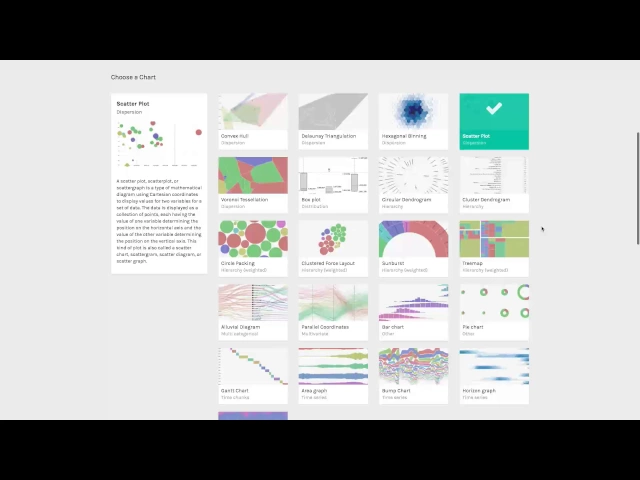](https://yout... | course | RAWgraphs | https://tds.s-anand.net/#/rawgraphs | text |
--- title: "Hybrid RAG with TypeSense" original_url: "https://tds.s-anand.net//hybrid-rag-typesense?id=embed-and-import-documents-into-typesense" downloaded_at: "2025-06-18T14:34:00.482896" --- [Hybrid Retrieval Augmented Generation (Hybrid RAG) with TypeSense](/hybrid-rag-typesense?id=hybrid-retrieval-augmented-genera... | course | Hybrid RAG with TypeSense | https://tds.s-anand.net/#/hybrid-rag-typesense | text |
End of preview. Expand in Data Studio
README.md exists but content is empty.
- Downloads last month
- 4