

Valen-1.0
Collection
Valen-1.0 • 9 items • Updated

English · 简体中文
Valen-0.8B-ONNX brings Valen-0.8B text, image and video decisions into your own application. Get categories, yes/no probabilities and scores for workflows such as ticket routing, image screening and video labeling.
Choose ONNX to deploy a Python service on CPU or embed inference in a Node.js application. Once downloaded, models can run from the cache offline and inputs are processed locally. Python inference uses ONNX Runtime without PyTorch or Transformers. Load and run the model with the Valen Python SDK or JavaScript SDK.
Try the free API and web demo with no installation, model download or GPU required.
Complete workflows are maintained in the official Cookbook: API basics, local inference basics, ticket routing, product-image screening and video tagging. Pages import executable source and include actual outputs, uncertainty policies, media provenance and licensing notes.
This card owns format, installation, startup, limitations and minimal calls. Validation scope and same-worker performance record model revisions, SDK and runtime versions. Valen.local loads ONNX; connect to GGUF services over HTTP. Prebuilt GGUF 0.1.0 does not compile direct video support; historical source-build video tests do not qualify the prebuilt package. P1 additionally checks fixed images on the exact prebuilt binary with 0.8B Q8_0 only; see the linked evidence, without extending that scope to other sizes.
For a first try, use the web experience or free HTTP API without downloading weights. The shared version guide covers Python/JavaScript applications, C++ local serving, GPU deployment and fine-tuning. 0.8B/2B/4B denote model size; native/ONNX/GGUF are formats; F32/Q8_0/ONNX q8-mlp are format-specific precision/quantization variants; Transformers, ONNX Runtime, custom llama.cpp/Ollama and SGLang/vLLM are backends. File size is not a RAM requirement; no unmeasured performance is promised.
Use ONNX SDKs for offline Python/JavaScript applications; GGUF with the Valen custom runtime for C++ Linux CPU services; native weights with the appropriate plugins, or Python ONNX CUDA, for GPU deployment; complete native Valen weights for fine-tuning. GGUF Q4/Q5 failed the quality gates: only qualified F32/Q8_0 are recommended. Support in official unmodified llama.cpp/Ollama is not claimed.
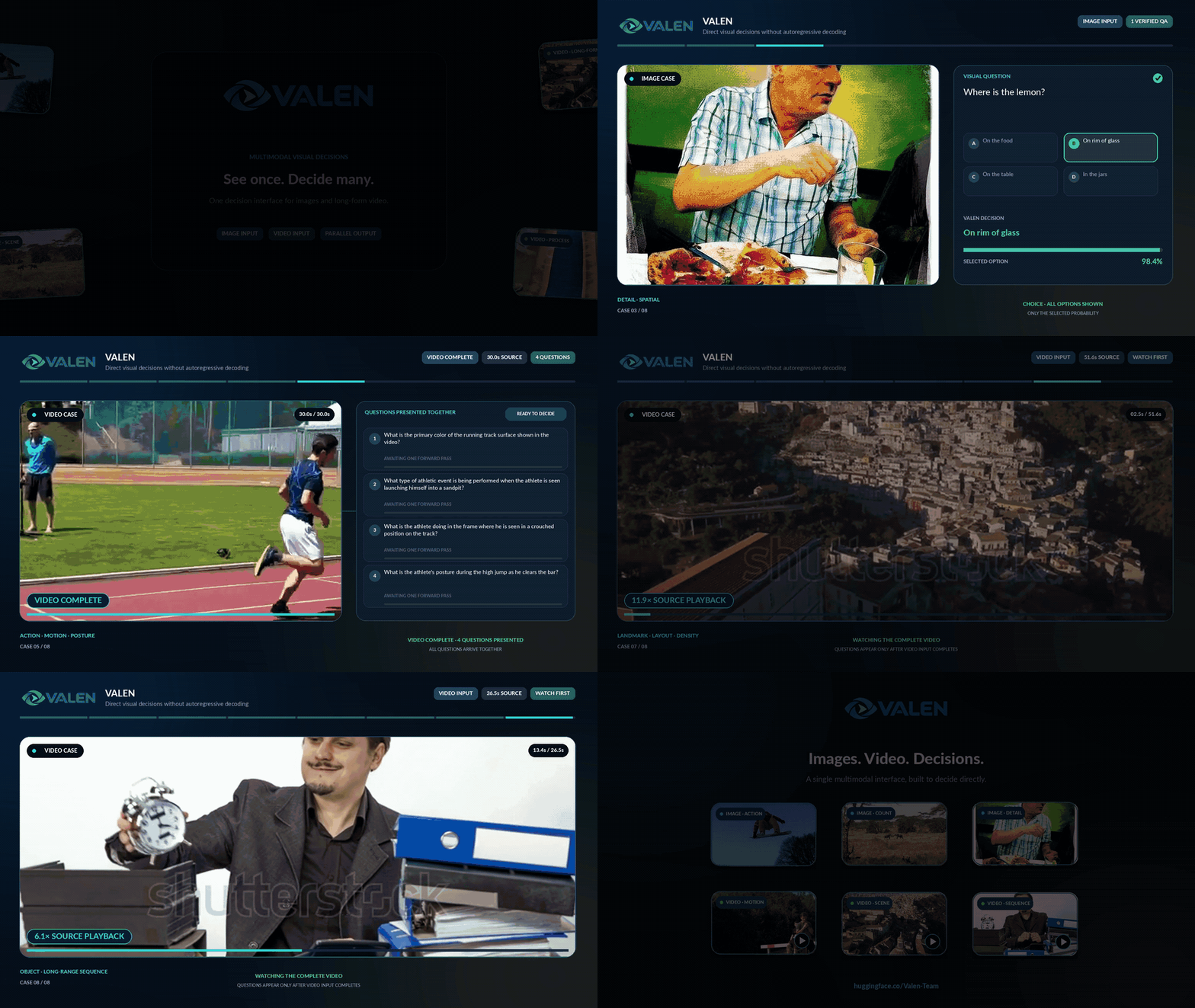
Click a preview to watch the full demonstration.
| Image and video decisions | Sokoban decisions |
|---|---|
 |
 |
Start with 0.8B and the CPU example below. Try 2B or 4B when you want to evaluate a larger model on your own tasks.
| Model | Starting point | Full FP32 download | CPU text peak RSS |
|---|---|---|---|
| 0.8B | Everyday computers and local prototypes; also offers a browser variant | 3.505 GB | 2.76 GiB |
| 2B | Evaluate a larger model with a higher memory budget | 8.948 GB | 5.98 GiB |
| 4B | Workstations or servers with room to prioritize model quality | 18.253 GB | 14.74 GiB |
Memory figures are measured Linux CPU text peaks, excluding vision. Images, video and longer inputs need more memory. Download sizes include vision components; see the variants below. Compare model results in the native Valen evaluations.
The examples below use Python 3.11+ and a CPU; a GPU is not required. For Node applications, jump to JavaScript; for GPU deployment, see CUDA. Browser applications use the 0.8B WebGPU variant.
Both Decisions and SystemOne request formats are supported. Start with Decisions if you are new to Valen.
python -m pip install "valen-sdk[onnx]==0.2.0"
from valen_sdk import Valen

client = Valen.local("Valen-Team/Valen-0.8B-ONNX", variant="fp32")
The published PyPI wheel does not require Git. The SDK downloads the selected model variant on first load and reuses the cache on later runs. See CUDA below for GPU installation and loading.
After installation/loading above, verify the path with one predicate. Complete multi-question workflows and image/video tutorials are maintained in Cookbook.
result = client.decisions(input="A cat is on the sofa.", questions=[
    {"name": "cat", "type": "predicate", "instructions": "A cat is present."},
])
print(result.by_name("cat").probability)
legacy = client.system_one("A cat is on the sofa.", {
    "cat": {"type": "noul", "instructions": "A cat is present."},
})
print(legacy.answers["cat"].noul)
client.close()
| Variant | Use | Full download |
|---|---|---|
fp32 |
CPU default | 3.505 GB |
q8-mlp |
CPU, lower memory use | 2.746 GB |
cuda-fp16 |
Python / NVIDIA CUDA | 2.000 GB |
web-portable |
Browser WebGPU | 2.443 GB |
Download sizes include vision components and are not runtime memory requirements. Start with fp32 on CPU. q8-mlp quantizes only the MLP to reduce download size and text memory; it was slower than FP32 in the measured CPU runs.
Install GPU dependencies in a separate Python environment, then select cuda-fp16:
python -m pip install "valen-sdk[cuda,video]==0.2.0"
with Valen.local(
    "Valen-Team/Valen-0.8B-ONNX", variant="cuda-fp16",
    providers=[("CUDAExecutionProvider", {"use_tf32": "0"}), "CPUExecutionProvider"],
) as gpu:
    result = gpu.decisions(
        input="Please send my order to my new address.",
        questions=[{"name": "change_address", "type": "predicate",
                    "instructions": "Is the customer requesting a delivery address change?"}],
    )
    print(result.by_name("change_address").probability)
After the first online run, load from the cache offline, or point the SDK at an existing model directory. The two alternatives below use cached files and a local directory respectively; keep graph/data paths under onnx/ intact:
client = Valen.local("Valen-Team/Valen-0.8B-ONNX", variant="fp32", local_files_only=True)

client = Valen.local("./Valen-0.8B-ONNX", variant="fp32", local_files_only=True)
To call the model from an existing application over HTTP, start a local CPU service:
python -m pip install "valen-sdk[onnx,server]==0.2.0"
valen serve --model Valen-Team/Valen-0.8B-ONNX --model-name valen --port 8000
Send a request from another terminal:
curl http://127.0.0.1:8000/v1/decisions \
  -H 'Content-Type: application/json' \
  -d '{"model":"valen","input":"Please send my order to my new address.",
       "questions":[{"name":"change_address","type":"predicate",
                     "instructions":"Is the customer requesting a delivery address change?"}]}'
CPU inference with Node.js 20+. Save the code as example.mjs, install the dependencies, then run node example.mjs.
npm install https://github.com/valen-team/valen-sdk-js.git @huggingface/tokenizers@0.2.0 @huggingface/jinja@0.5.10 @huggingface/transformers@4.3.1 onnxruntime-node@1.30.0
import { Valen } from '@valen-team/sdk';

const client = await Valen.local('Valen-Team/Valen-0.8B-ONNX', { variant: 'fp32' });
try {
  const result = await client.decisions({
    input: 'Please send my order to my new address.',
    questions: [{ name: 'change_address', type: 'predicate',
                  instructions: 'Is the customer requesting a delivery address change?' }],
  });
  console.log('Address change probability:', result.answers[0].probability);
} finally {
  await client.close();
}
Node images use the same Decisions message format; video decoding additionally requires FFmpeg and ffprobe.
0.8B includes a dedicated web-portable variant. Import the SDK through a frontend bundler and install the browser runtime:
npm install onnxruntime-web@1.31.0-dev.20260914-8d85527a0
For Vite, copy the ORT runtime assets into the public directory:
mkdir -p public/ort
cp node_modules/onnxruntime-web/dist/*.wasm node_modules/onnxruntime-web/dist/*.mjs public/ort/
In your browser module, use the Valen import above and replace the client initialization, then call the same client.decisions(...) method:
const client = await Valen.local('Valen-Team/Valen-0.8B-ONNX', {
  variant: 'web-portable', device: 'webgpu', wasmPaths: '/ort/',
});
Use a WebGPU-capable browser served over HTTPS or localhost. Model assets are downloaded and cached on first use. Single-question warm p50 was 3.131 s in Chrome on Apple M2; choose this variant when inference needs to run inside the browser.
This model has been tested with text, images and video on Linux x86-64 CPU and Python H200 CUDA. 0.8B has also been tested on Apple M2 Python/Node CPU and Chrome WebGPU. Windows real-model validation has not been run.
| CPU variant | Single-question p50 | Text peak RSS |
|---|---|---|
fp32 |
0.231 s | 2.76 GiB |
q8-mlp |
0.503 s | 1.90 GiB |
Measured on Linux CPU with 4 inference threads and the same text request, after warmup. Download and first model load are excluded. RSS excludes the lazily loaded vision module and is not a minimum RAM requirement. See validation.json for numerical and task regression results and the SDK documentation for full options.
Use the free API guide for remote requests. To fine-tune, start from the native Valen model and follow the GitHub training guide. See the native model card for model benchmarks and leaderboards.
Apache-2.0. See LICENSE.
@misc{valen,
  author       = {{Valen Team}},
  title        = {Valen},
  howpublished = {GitHub - Valen-Team/Valen: A multimodal System One decision model for text, images and video.},
  note         = {GitHub repository},
  year         = {2026},
  url          = {https://github.com/Valen-Team/Valen}
}
User concepts, methods and references are maintained only on the website: Documentation · Probabilities.