

RapVideo: AI rap videos from your photos
RapVideo turns one or two photos into a short rap performance with original vocals and music. Choose Solo or Duo, pick a scene, and edit the lyrics. New videos are 12 seconds long and arrive as vertical MP4 files through a private email link.
Make an AI rap video at rapvideo.cc
This is the product introduction for our hosted service, RapVideo. This repository contains documentation, not model weights or inference code. To generate a video, use the website; there is no checkpoint to download or run locally from this repository.
What can you make?
A birthday message, a short exchange between two friends, or a pet performing in a recording booth all start with the same choices: who is performing, where they are, and what they should say.
Solo uses one photo. Duo uses two separate photos, one for each performer. You can choose scenes such as Hotel Lobby, a recording booth, or a street cypher, then select a singing language and write a few short lines. You can also generate lyrics from an idea in the editor.
The output is a new AI-generated performance. Your lyrics guide the rap, but exact wording, pronunciation, facial detail, and lip-sync can vary. RapVideo does not copy an existing song or an artist's voice.
See a real example
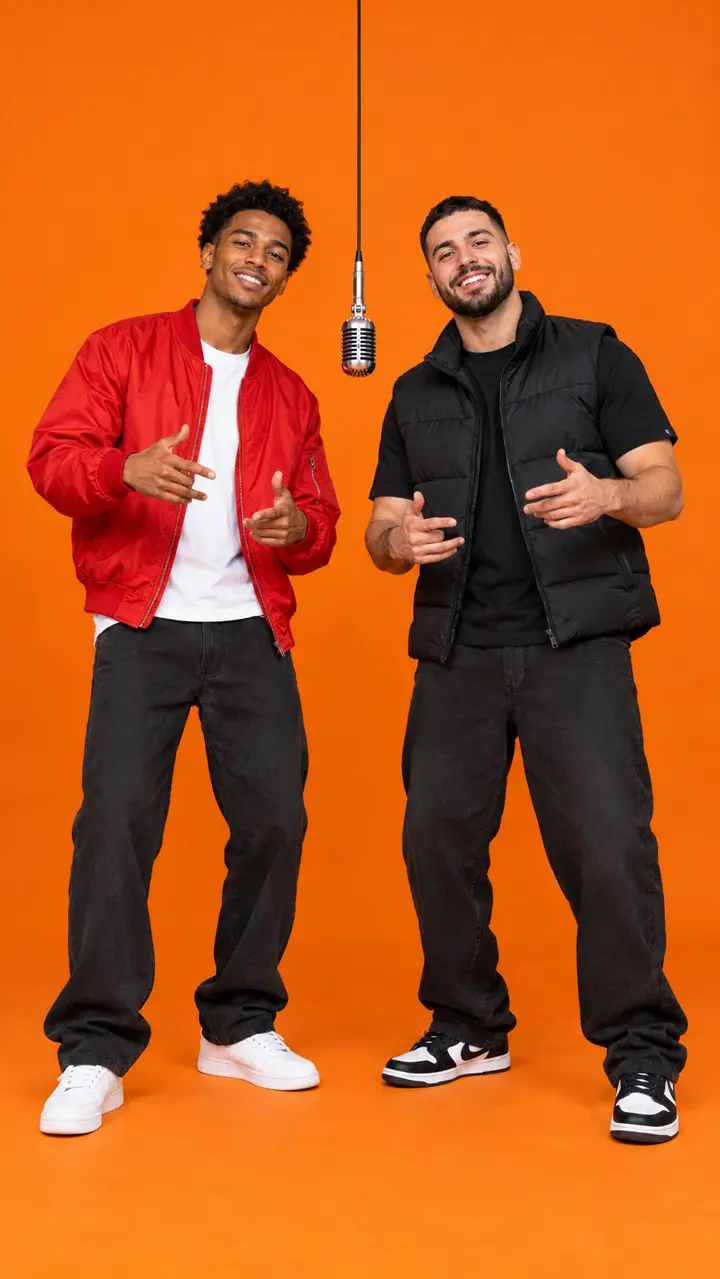 Prepared scene reference |
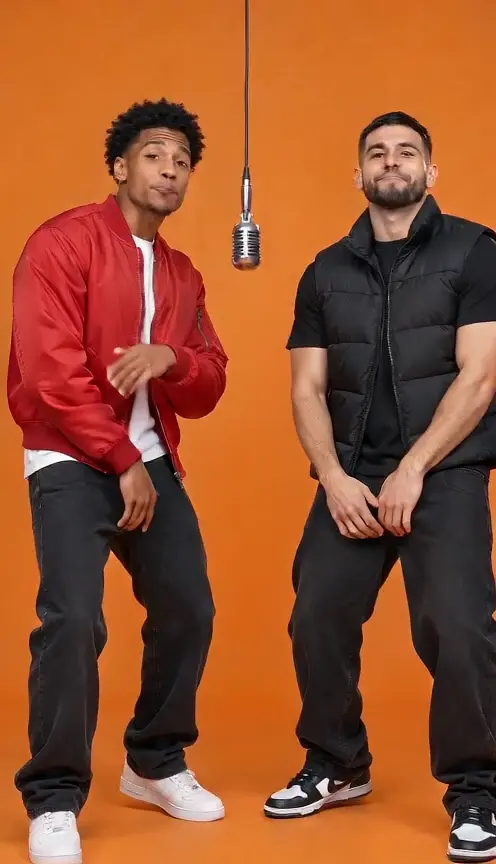 Generated duo video |
These images come from the website's Hotel Lobby demo with fictional performers. The left image is a prepared scene reference, not a customer upload. The demo is 12 seconds long; play it with sound in the RapVideo examples. Your photos and lyrics will produce a different performance.
How to make your first rap video
- Open the AI rap video generator and choose Solo or Duo. Upload one clear photo per performer.
- Pick a scene and theme. Choose the vocal language, then edit the lyrics to fit the message you want to send.
- Select a one-time video pack and confirm your delivery email. Generation starts after payment is confirmed.
- Open the private email link to watch and download the MP4. Keep that order link if your pack has more videos remaining.
You do not need to create an account. The website asks you to allow about 15 minutes after payment; busy periods can take longer. You can close the page while the video is processing and return through your email link.
The step-by-step rap video guide explains the workflow in more detail.
Photos and lyrics that give the model a clear starting point
Use a clear photo of one person or animal in each slot. Keep the face and eyes visible. For human subjects, use consenting adults and photos you have permission to upload. Supported photo formats include JPG, PNG, WebP, HEIC, and HEIF, under 10 MB and up to 40 megapixels per image.
Keep your lyrics short enough for a 12-second performance. A name, a specific joke, or one brief exchange is easier to follow than a paragraph. For a duo, an opening line and a reply give each performer a role. For a birthday video, start with the person's name and one detail that makes the message theirs.
Read the photo selection guide or the birthday rap guide for more ideas.
Formats and pricing
| Option | Current offer |
|---|---|
| Duration | 12 seconds for new purchases |
| Layout | Vertical 9:16 MP4 with sound |
| Starter | One 480p video, $4.90 USD newcomer offer |
| Standard | One 720p video, $9.90 USD |
| Standard packs | Two videos for $18.90 USD or five for $44.90 USD |
| Payment | One-time purchase, without a subscription |
Check the current video packs before buying. Some public examples are earlier 10-second demos; their duration is labeled on the website. They do not change the duration offered for new purchases.
Questions before you start
Can I use my own lyrics?
Yes. Choose a singing language and edit the short lines in the editor. The generated performance may change words or pronunciation, so listen to the finished video before sharing it.
Does this use the original Hotel Lobby song?
No. The Hotel Lobby generator provides a scene for a new rap performance with original vocals and music. It is not a download of the original recording.
What if I want another version?
A new version uses another video allowance. Technical failures restore the video allowance; that is different from an automatic cash refund. Read the refund policy for the purchase conditions.
Where can I find my video later?
Use the private link in your completion email to reopen the order and download the result. Keep that email rather than relying only on the original browser tab.
How are uploaded photos handled?
The website says uploaded originals become unavailable after seven days, with background deletion potentially occurring later. Read the privacy policy and terms before submitting personal images.