

ainvfx-fluid · paint your fluid, skip the simulation, generate the result
An IC-LoRA for LTX 2.5 (22B) by AInVFX. You paint flat colour blobs on a first frame and a last frame (and, if you want, a few frames in between); the LoRA replaces the blobs with smoke, steam or fire and animates from one keyframe to the next. Trigger word: ainvfxfluid.
Made for compositing and previz as an art-directable stock footage generator.
📺 Watch the 45-minute tutorial · 📰 Read the article — setup, control video rules, painting, prompting, and how the model was trained.
| File | ltx-2.5/ainvfx-fluid.safetensors (654 MB, ComfyUI format, rank 32) |
| Base model | Lightricks/LTX-2.5, 22B transformer, dev or distilled |
| Control | a video, same resolution and length as the output: keyframes painted in flat colours, black frames in between |
| Workflow | workflow/ainvfx-fluid_painted_smoke_plume.json, paints both frames inside ComfyUI |
| Tutorial | 45-minute deep dive on YouTube |
| Article | Paint your fluid simulations |
| License | LTX-2.x Community License (see below) |
Samples
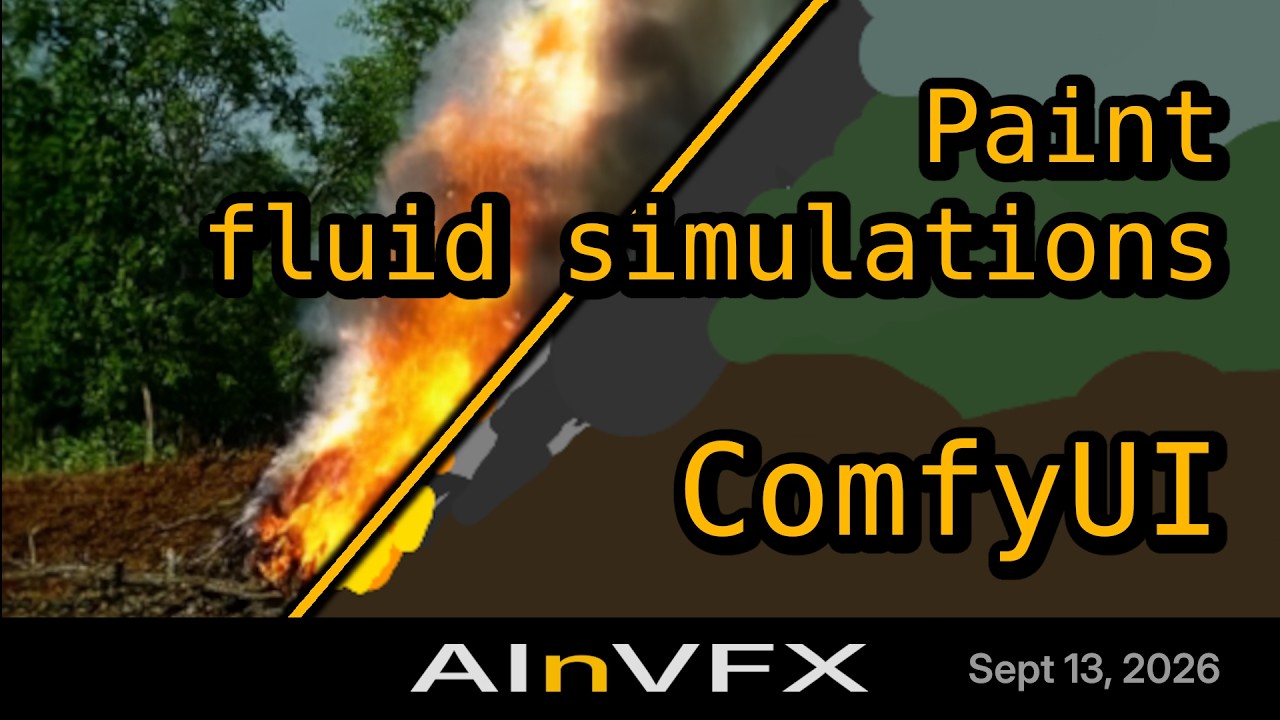
Left: the control video. Right: the result. Six pairs, none of the source clips was in the training set. All results were generated with the LTX 2.5 22B distilled transformer (int8), 8 steps, CFG 1, seed 42, sampler euler_ancestral, LoRA strength 1.0, negative prompt blurry, low quality, distorted, watermark. The frame rate follows the control video (24, 25 or 50 fps). Every _result video is AI-generated with LTX 2.5 and this LoRA; the files carry no C2PA manifest, this line and the file names are the disclosure.
| Control (painted keyframes, black in between) | Result |
|---|---|
01 · 960 x 512 · ainvfxfluid, wild fire | |
02 · 960 x 512 · ainvfxfluid, smoke plume | |
03 · 512 x 960 (portrait) · ainvfxfluid, fire | |
04 · 960 x 512 · ainvfxfluid, fire ball exploding towards camera | |
05 · 960 x 512 · a real photo with the smoke painted on top; the result keeps the composition and colours, not the exact photo · ainvfxfluid, smoke plume rising over a city, blue sky, aerial view | |
06 · 512 x 512 · the two frames painted in ComfyUI with the workflow below · ainvfxfluid, smoke plume | |
How to use it in ComfyUI
- Put
ainvfx-fluid.safetensorsinComfyUI/models/loras/. You need ComfyUI with the ComfyUI-LTXVideo node pack by Lightricks (Manager: search « LTXVideo »; the IC-LoRA loader and guide nodes come from it) and the LTX 2.5 models of its example workflows (transformer, video and audio VAE, Gemma text encoder). - Load it with
LTX IC-LoRA Loader Model Only, strength 1.0. The loader reads the reference downscale factor (2) from the file: nothing to set. - Build the control video, same size and length as the shot you want:
- width and height multiples of 64 (512 x 512, 960 x 512, 512 x 960, 1024 x 576, 1920 x 1088 all work);
- 121 frames is the tested length; 24, 25 and 50 fps were trained;
- your painted first frame at index 0, your painted last frame at index 120, black frames everywhere else;
- optional keyframes in between must sit on the 8-frame grid of the LTX VAE: index 1, 9, 17, ... 113 (a multiple of 8, plus 1). A keyframe can be a single frame or held over its 8 frames; both were trained.
- paint flat colours: one blob per volume (e.g. light grey for smoke, white for steam, orange and yellow for fire), a black background or a few flat zones for sky and ground. Sharp, deliberate shapes are followed closely.
- Prompt:
ainvfxfluid,then what the fluid is and how it is lit.ainvfxfluid, smoke plumeis enough; a fuller sentence helps for what the LoRA saw less. - Generate with the distilled model (8 steps, CFG 1) or the dev model with its usual sampler settings. Strength 0 gives the "no LoRA" comparison.
Every step above is shown on screen in the tutorial, including the ComfyUI-LTXVideo install, the Kornia pad import fix, and where each gated LTX 2.5 file goes.
The shipped workflow does steps 2 to 5 with two Painter nodes and opens pre-painted with a smoke plume: copy the two PNGs from workflow/inputs/ into ComfyUI/input/ once, load the workflow, queue. Then repaint: the first frame, and the changes on the last frame. Replace the Painters with a Load Video of your own 121-frame control clip if you prefer to paint elsewhere. Apart from the LTXVideo pack, every node is ComfyUI core (the Painter node needs a recent ComfyUI and Nodes 2.0 enabled).
Painting over a photo. You can paint a fluid on a real photograph and use that as first and last frame. The result keeps the composition and the colours of the photograph and puts the fluid where you painted it, but it is a video inspired by the photo, not a pixel-exact match of it (see sample 05 above). For a locked plate, generate the fluid over a black background and composite it back over the plate.
Limitations
- Trained on smoke, steam and fire only. Liquids such as water and ink may not work as well; guiding the model with a more detailed prompt helps.
- A control clip that leaves the 8-frame grid, or whose size is not a multiple of 64, degrades quickly.
- 121 frames at 24, 25 or 50 fps were tested. The trainer also saw 321-frame and 33-frame clips, so other 8k + 1 lengths should work; testing there was limited.
- The base model's own limits apply (text, faces, fine motion).
Training
- Trainer: musubi-tuner (kohya-ss), the LTX-2 fork by AkaneTendo25, branch
ltx-2-dev. Base weightsltx-2.5-22b-dev-transformer-bf16, loaded in fp8, gradient checkpointing, 8-bit AdamW, batch 1. LoRA rank 32, alpha 32,--lora_target_preset v2v(attention and feed-forward of every block),--reference_downscale 2(the control is encoded at half resolution),--ltx2_first_frame_conditioning_p 0.2, the control always present. - Dataset: 52 stock clips from Pexels (bonfires, wildfires, grass fires, smoke over forests, chimney steam), 44 landscape and 8 portrait, at 24, 25, 30 and 60 fps (30 was resampled to 25 and 60 to 50, by timestamp, so the motion speed is unchanged). Captions by Qwen3-VL-8B, trigger word first. The control videos were generated from the clips themselves: each clip painted over in 6 flat colours (a palette chosen among the colours present in the frame, zones smoothed), 2 to 5 keyframes per clip on the 8-frame grid (first and last frame always), each keyframe held for 1 to 8 frames, black frames elsewhere. This is what we would expect an artist to paint by hand, produced automatically for training.
- Three-stage resolution chain (the LTX LoRA guide's recipe), each stage warm-started from the previous one, one dataset block per frame rate (24, 25, 50 fps):
| Stage | Pairs | Geometry | Steps | Learning rate | Time |
|---|---|---|---|---|---|
| 1 · motion | 40 | 576 x 320 x 321 frames | 2000 | 1e-4 | 3 h 48 |
| 2 · shape and material | 94 (+ 3 held out) | 1024 x 576 x 121 | 1000 | 5e-5 | 2 h 26 |
| 3 · fine detail | 206 | 1920 x 1088 x 33 | 500 | 2e-5 | 1 h 32 |
- Compute: one NVIDIA RTX PRO 6000 (96 GB) on Runpod, 7 h 47 min wall-clock for the whole chain, caching and previews included (5.8, 8.1 and 8.9 s per step; peak 24 GB of VRAM). At the card's 600 W maximum that is at most about 4.7 kWh; we did not meter it.
- Loss: about 0.26 at the end, noisy; the previews on held-out controls were the signal, not the curve.
Transparency, data and ethics
This model follows the AInVFX statement of AI ethics: open weights first, documented training data, creator consent, labelled generated content, frugal compute, a human who stays in control of the shot.
- Data provenance. All training clips come from Pexels under the Pexels License: free for personal and commercial use, modification allowed, attribution not required. No clip is redistributed here, only the weights and the six sample controls (painted paint-overs of four unseen Pexels clips, one photo, one blank canvas). Attribution is appreciated by Pexels contributors, so here are the clips, by Pexels video id:
52 training clips
854521 · 856227 · 856295 · 1943483 · 2908584 · 6176867 · 6179509 · 6618025 · 6618036 · 7897557 · 8201040 · 8201049 · 8365988 · 9666929 · 9667143 · 9667144 · 9808289 · 9939406 · 10157164 · 10157172 · 11210466 · 11509050 · 11574595 · 11574636 · 11584956 · 11646227 · 11925064 · 12556476 · 12773237 · 12871894 · 13228922 · 13301380 · 13301390 · 14234580 · 14296626 · 14296662 · 14296769 · 14302096 · 14435886 · 14595146 · 14886704 · 15084556 · 15084591 · 15182505 · 15240404 · 15305558 · 15305560 · 17429991 · 19681479 · 19681480 · 20706788 · 20706803
- Generated content. The
_resultvideos are AI-generated and this README is the written disclosure. - Compute. Stated above, in GPU-hours and an energy upper bound, so you can judge the cost of reproducing it.
- What it is for. Adding a visual effect to a shot you own. Do not use it to depict a real place, event or person without appropriate consent.
License
The LoRA is a derivative of LTX-2.5 and is released under the LTX-2.x Community License, the same license as the base model; a full copy is in LICENSE. Notice required by that license: this derivative is subject to its Section 4 (use restrictions) and Attachment A (acceptable use policy) in their entirety. Worth knowing before you ship: a Commercial Entity (annual revenue of 10 M USD or more) needs a paid Commercial Use Agreement from Lightricks (ltxv-licensing@lightricks.com) for any use of LTX-2.x or its derivatives beyond testing and evaluation. This paragraph is a summary, not legal advice: read the file.
Who made it, and come build with us
Trained by Adrien Toupet as the instructor's demo during cohort 1 of the AInVFX Generative AI Bootcamp for Film and TV. Cohort 2 starts 2 October 2026, cohort 3 on 6 January 2027: 60 hours of live training online, in English, project based with cloud GPU included. Come learn and build with us! ainvfx.com/bootcamp.
Questions, results, bugs: contact AInVFX or open a discussion on this repo.
Credits
Lightricks for LTX-2.5 and the IC-LoRA design · kohya-ss and AkaneTendo25 for the trainer · ComfyUI · the Pexels contributors listed above · Runpod for the GPU.
Model tree for AInVFX/ainvfx-fluid
Base model
Lightricks/LTX-2.5