

the pormpt "a cat" gets blocked

the prompt "a cat" gets blocked
json formatting the prompts helps sometimes. but still strange behavior.

Thank you for the protection provided by your filter
- error:
[ERROR] Error running sage attention: Unsupported head_dim: 256, using pytorch attention instead.
[ERROR] Error running sage attention: Unsupported head_dim: 256, using pytorch attention instead.
[ERROR] Error running sage attention: Unsupported head_dim: 256, using pytorch attention instead.
[ERROR] Error running sage attention: Unsupported head_dim: 256, using pytorch attention instead.
[ERROR] Error running sage attention: Unsupported head_dim: 256, using pytorch attention instead.
[ERROR] Error running sage attention: Unsupported head_dim: 256, using pytorch attention instead.

It could have been a very dangerous cat.
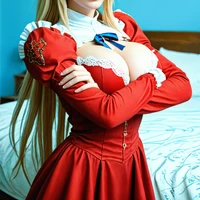
this is a new level safety cucking. imagine art does this with their models but this new for a open source model.

it seems to need quite a bit of a structured prompt, or use an LLM node to do it for you from a basic prompt input
and after that you never see this blocked message again

they seem to be aware of the issue. but i would say its not just higher false posive its nealy 99% of the time when the prompt is short or non json

i still get a partial warning even with perfect json. i think it just does not like shorter prompts
i did not pormpt for this text
Just use the suggested prompt structure from them, and you can prompt for pretty much anything..
And not see any block
https://huggingface.co/ideogram-ai/ideogram-4-fp8/discussions/5#6a208948d2802761c1c3a188
i am using that already

this is interesting. Exploring the frontier indeed. Is this coming from the prompt enhancer? the clip? the model itself?
as for the model i hear a lot about text. How good is it with the images stuff, when it occasionally works?
its baked into the model its not part of the prompt enhancer. ether rl or just train on this image with parid nsfw prompts.
Its the prompt structure.
With correct json prompt i am never seeing the filter. Even for a bit ranchy or sexy images (that ideogram even have on their own website). (its not a model for more hardcore nsfw, of course, but the filter seems to trigger for non related prompts that has nothing to do with NSFW but rather the prompt structure)
But apparently they are working on a fix for that. But if you use an LLM or other ways to properly structure the prompt you wont see the safety filter
