

MicroLens — Final
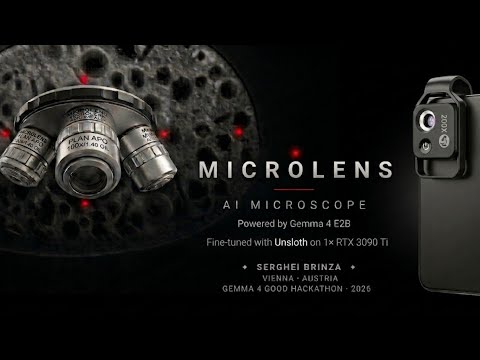
A pocket-microscope expert. Vision-language model that identifies microscopy specimens — diatoms and fungal spores across 95 genera — names the genus, and explains morphology, habitat, and identification cues. Built on Gemma 4 E2B, runs offline on a 4 GB Android, speaks 140+ languages out of the box.
Submission to the Kaggle Gemma 4 Good Hackathon 2026.
Demo video
🎬 Watch the 90-second demo on YouTube

Base Gemma 4 vs MicroLens on real diatom and fungal-spore specimens.
Links
| Resource | URL |
|---|---|
| Live web demo | https://huggingface.co/spaces/Laborator/microlens |
| Live Kaggle notebook (T4, 9 min) | https://www.kaggle.com/code/sergheibrinza/microlens-final |
| GitHub (source, APK, Modelfile) | https://github.com/SergheiBrinza/microlens |
| Training VQA dataset (75,491 pairs) | https://www.kaggle.com/datasets/sergheibrinza/microlens-vqa-hackathon |
| Training images (75,491 PNGs) | https://www.kaggle.com/datasets/sergheibrinza/microlens-images-hackathon |
| Ollama (3 GB GGUF) | ollama run brinzaengineeringai/microlens-final |
| Android APK | https://github.com/SergheiBrinza/microlens/releases |
What this model is
A 4-bit QLoRA fine-tune of unsloth/gemma-4-E2B-it that turns a generic vision-language model into a structured microscopy assistant. For any specimen image, MicroLens returns four sections:
- Genus (and species when it is sure)
- Morphology — shape, size, raphe, frustule
- Habitat — where this organism typically lives
- Identification cues — what to look for in the image
Covers 95 genera across two categories: diatoms (the standard bioindicator behind the EU Water Framework Directive) and fungal spores.
Quick start (Python + Unsloth)
from unsloth import FastVisionModel
from peft import PeftModel
from PIL import Image
import torch

base, tokenizer = FastVisionModel.from_pretrained(
    'unsloth/gemma-4-E2B-it',
    load_in_4bit=True,
    use_gradient_checkpointing='unsloth',
    max_seq_length=2048,
)
model = PeftModel.from_pretrained(base, 'Laborator/microlens-final')
FastVisionModel.for_inference(model)

img = Image.open('your_specimen.png').convert('RGB')
prompt = 'Identify the organism in this microscopy image and describe its morphology.'
msgs = [{'role':'user','content':[{'type':'image'},{'type':'text','text':prompt}]}]
text = tokenizer.apply_chat_template(msgs, add_generation_prompt=True)
inp = tokenizer(img, text, add_special_tokens=False, return_tensors='pt').to('cuda')
out = model.generate(**inp, max_new_tokens=200, do_sample=False)
print(tokenizer.decode(out[0][inp.input_ids.shape[-1]:], skip_special_tokens=True))
Quick start (Ollama, on-device)
ollama run brinzaengineeringai/microlens-final
Pulls the 3 GB Q4_K_M GGUF and runs entirely on CPU or any consumer GPU.
Training summary
- Base model:
unsloth/gemma-4-E2B-it(4.44 B parameters, ~2 B effective via Per-Layer Embeddings) - Method: 4-bit QLoRA via Unsloth FastVisionModel, both vision tower and language tower trainable
- Data: 75,491 VQA pairs (67,121 train + 8,370 val), 95 genera, 2 categories
- Schedule: 2 epochs, 8,392 steps, lr 2e-4 cosine, batch 2×8=16, AdamW-8bit, bf16, seq 2048
- Hardware: 1× RTX 3090 Ti (24 GB), 14.7 hours wall-clock
- Trainable params: 29.9 M (0.58% of base), LoRA r=16, α=32
- Final eval loss: 0.0189 (smooth monotone decrease)
Evaluation results
Stratified 200-pair validation, 150 diatom + 50 fungal spore.
| Metric | Diatom (n=150) | Fungal spore (n=50) | Overall (n=200) |
|---|---|---|---|
| Genus accuracy (substring match) | 85.3% | 100% | 89.0% |
| Category accuracy | 100% | 100% | 100% |
| Format adherence (morphology + habitat + cues) | 95.3% | 72.0% | 89.5% |
Reproducible end to end on a free Kaggle T4 in 9 minutes — see the linked Kaggle notebook.
Training data — license-clean for commercial use
| Source | License | Pairs (train) |
|---|---|---|
| UDE Diatoms in the Wild 2024 (Zenodo 10410655) | CC0 | 39,389 |
| DIATLAS (Zenodo 16260887) | CC-BY 4.0 | 23,544 |
| TgFC — Tectona grandis fungal community (figshare 28855910) | CC-BY 4.0 | 4,188 |
Top-30 genera have hand-curated knowledge-base answers from AlgaeBase, WoRMS, ITIS. Only upstream sources whose licences unambiguously permit commercial reuse (CC0 or CC-BY 4.0) are included, so this release is clean for commercial use end to end.
Honest limits
- Trained on stained light-microscopy at 384×384. SEM and fluorescence are out of distribution.
- Only 95 genera across two categories (diatoms + fungal spores). Anything else is out of distribution and the model output should be treated as ungrounded.
- Long-tail genera produce shorter answers. The curated knowledge base only covers the top 30.
- Confidence is expressed in words ("looks like X but the asymmetry suggests Y"), not calibrated probabilities. Good for an explainable assistant, bad for automated decisions.
- No held-out test split. The 8,370 val pairs do double duty for per-step and final eval. A future release will fix that.
- Research artefact — not a medical device. Not for clinical, diagnostic, or regulatory use.
License & attribution
Apache 2.0 — matches base Gemma 4 license. Please credit Serghei Brinza — MicroLens, Vienna 2026.
Citation
If you use MicroLens in research, please cite:
@misc{brinza2026microlens,
  author       = {Serghei Brinza},
  title        = {MicroLens: A Pocket-Microscope Expert via Gemma 4 E2B},
  year         = 2026,
  publisher    = {Hugging Face},
  howpublished = {\url{https://huggingface.co/Laborator/microlens-final}},
  note         = {Kaggle Gemma 4 Good Hackathon 2026 submission}
}
Also cite the upstream:
- Gemma 4 (Google DeepMind)
- Unsloth (Daniel & Michael Han) — https://github.com/unslothai/unsloth
- AlgaeBase, WoRMS, ITIS — taxonomic knowledge bases
- UDE Diatoms in the Wild 2024 (Zenodo 10410655)
- DIATLAS (Zenodo 16260887)
- TgFC (figshare 28855910)
- Downloads last month
- 1,551
We're not able to determine the quantization variants.