

ONNX Runtime
🤗 Optimum provides a Stable Diffusion pipeline compatible with ONNX Runtime. You'll need to install 🤗 Optimum with the following command for ONNX Runtime support:
pip install -q optimum["onnxruntime"]
This guide will show you how to use the Stable Diffusion and Stable Diffusion XL (SDXL) pipelines with ONNX Runtime.
Stable Diffusion
To load and run inference, use the [~optimum.onnxruntime.ORTStableDiffusionPipeline]. If you want to load a PyTorch model and convert it to the ONNX format on-the-fly, set export=True:
from optimum.onnxruntime import ORTStableDiffusionPipeline

model_id = "runwayml/stable-diffusion-v1-5"
pipeline = ORTStableDiffusionPipeline.from_pretrained(model_id, export=True)
prompt = "sailing ship in storm by Leonardo da Vinci"
image = pipeline(prompt).images[0]
pipeline.save_pretrained("./onnx-stable-diffusion-v1-5")
Generating multiple prompts in a batch seems to take too much memory. While we look into it, you may need to iterate instead of batching.
To export the pipeline in the ONNX format offline and use it later for inference,
use the optimum-cli export command:
optimum-cli export onnx --model runwayml/stable-diffusion-v1-5 sd_v15_onnx/
Then to perform inference (you don't have to specify export=True again):
from optimum.onnxruntime import ORTStableDiffusionPipeline

model_id = "sd_v15_onnx"
pipeline = ORTStableDiffusionPipeline.from_pretrained(model_id)
prompt = "sailing ship in storm by Leonardo da Vinci"
image = pipeline(prompt).images[0]
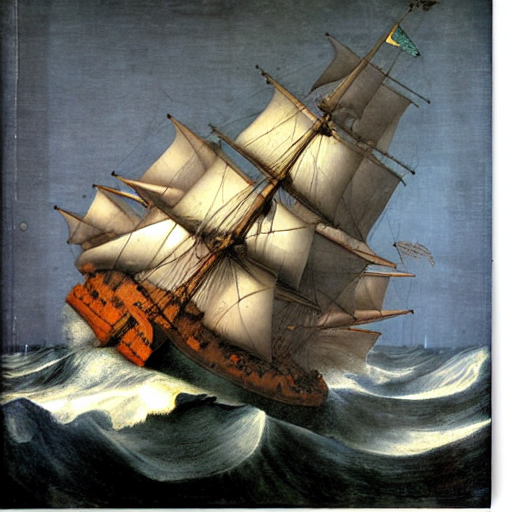
You can find more examples in 🤗 Optimum documentation, and Stable Diffusion is supported for text-to-image, image-to-image, and inpainting.
Stable Diffusion XL
To load and run inference with SDXL, use the [~optimum.onnxruntime.ORTStableDiffusionXLPipeline]:
from optimum.onnxruntime import ORTStableDiffusionXLPipeline

model_id = "stabilityai/stable-diffusion-xl-base-1.0"
pipeline = ORTStableDiffusionXLPipeline.from_pretrained(model_id)
prompt = "sailing ship in storm by Leonardo da Vinci"
image = pipeline(prompt).images[0]
To export the pipeline in the ONNX format and use it later for inference, use the optimum-cli export command:
optimum-cli export onnx --model stabilityai/stable-diffusion-xl-base-1.0 --task stable-diffusion-xl sd_xl_onnx/
SDXL in the ONNX format is supported for text-to-image and image-to-image.